If you run an online shop, even a small one, and sell to people in the EU, the European Accessibility Act (EAA) probably concerns you. It has applied since 28 June 2025 and lists e-commerce among the services that must be usable by people with disabilities. Germany implements it through the BFSG, and each member state has its own national law.
Does it apply to you?
- E-commerce for consumers: In scope. That includes shops located outside the EU that sell to EU consumers, according to widely cited guidance.
- The exemption: Microenterprises that provide services are exempt: fewer than 10 employees and annual turnover or balance sheet of up to €2 million. It applies to services, not to products, so check how your situation is classified, and what your country says.
- The standard: The Act points to EN 301 549, which for the web refers to WCAG 2.1 Level AA. Newer tools and auditors often test against WCAG 2.2 AA, which is a superset.
Ten checks you can run in a week
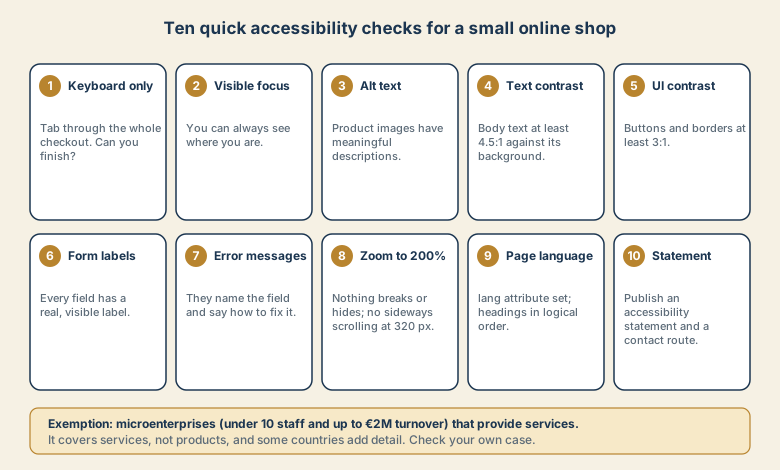
- Keyboard only. Unplug the mouse. Can you search, add to cart, check out, and pay using Tab, Shift+Tab, Enter, and Space?
- Visible focus. You should always be able to see which element is focused.
- Alt text. Product images need meaningful descriptions. Decorative images should have empty alt text.
- Text contrast. Normal text needs a contrast ratio of at least 4.5:1 against its background. Use a free contrast checker.
- UI contrast. Buttons, form borders, and icons need at least 3:1.
- Form labels. Every input has a visible, programmatically linked label. A placeholder alone is not a label.
- Error messages. Say which field is wrong and how to fix it, in text, not only in red.
- Zoom and reflow. At 200% zoom, and at a 320 px wide viewport, nothing should be cut off, and you should not need to scroll sideways.
- Page language and headings. Set the
langattribute, and use headings in a logical order (oneh1, thenh2, and so on). - Accessibility statement. Publish one and offer a way to report problems.
Tools that help (and their limits)
Automated checkers, such as browser extensions or Lighthouse, catch only a portion of problems. Treat them as a first pass. Then test by hand, with keyboard only, a screen reader such as NVDA or VoiceOver, and zoom. If you can, ask a user with a disability to try your checkout.
What a statement should contain
- A clear description of your commitment and the standard you target.
- Known limitations and any alternatives you offer.
- A contact route for feedback and complaints.
- The date it was last reviewed.
Your national rules specify the exact contents, so check them for each market.
A realistic plan for a small team
- Week 1: Run the ten checks on your homepage, a product page, the cart, and the checkout.
- Week 2: Fix the quick wins: labels, alt text, contrast, language attribute.
- Weeks 3 to 4: Fix keyboard and focus problems in your theme or plugins. Ask vendors about their accessibility.
- Then: Publish the statement and add accessibility checks to your release process.
Sources
Overview as of November 5, 2026. This is not legal advice.