A NAS (network-attached storage) box is where many homes and small offices keep photos, documents, and backups. That makes it a favorite target for ransomware. On October 29, 2026, Synology said it had identified threat actors exploiting a vulnerability patched in December 2024 to attack devices running outdated versions of its DiskStation Manager (DSM) software, with the aim of encrypting data and demanding a ransom. It urged users to update immediately and to enable automatic updates.
The patch gap
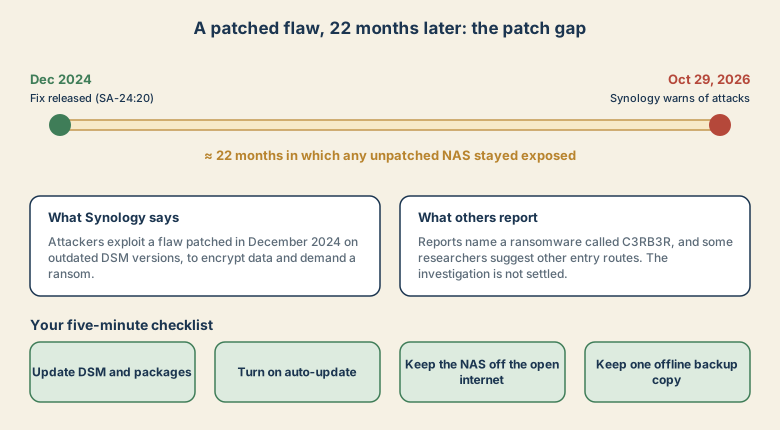
The important number is the gap: roughly 22 months between the fix and the warning about active attacks. Every NAS that stayed on an old version during that time remained exposed to a weakness that was publicly fixed. Synology's notice points to security advisory Synology-SA-24:20, which covers several issues including remote code execution. A security analysis site links the issue to CVE-2024-10441, rated 9.8 out of 10.
Press reports name the ransomware C3RB3R, described as a Cerber variant that renames files with a .L0CK3D extension. Not everyone agrees on how the attackers get in. Some reports say a Chinese security firm blames two other DSM flaws patched in September 2026, and others do not rule out abuse of add-on packages or stolen credentials. Until that is settled, the advice is the same: update everything.
A five-minute checklist
- Update DSM. Control Panel → Update and Restore. Install the latest version for your model.
- Update packages. Open Package Center and update installed apps. Remove ones you do not use.
- Turn on automatic updates. Synology specifically recommends this.
- Keep the NAS off the open internet. Do not forward its admin ports through your router. If you need remote access, use a VPN.
- Use strong, unique admin passwords and enable two-step verification.
- Back up properly. Keep at least one copy that is offline or immutable. A backup that is always connected can be encrypted along with the NAS. A common rule is 3-2-1: three copies, on two kinds of media, with one stored off-site or offline.
If your files are already encrypted
- Unplug the network cable, or disconnect Wi-Fi, to stop the spread.
- Do not delete files or reset the device yet. Evidence and recovery options may be lost.
- Restore from an offline backup if you have one, after the NAS is clean and updated.
- Check the No More Ransom project for free decryption tools.
- Paying does not guarantee you will get your files back.
The bigger lesson
This is not a new zero-day. It is an old fix that never got installed. Devices that sit quietly in a closet are easy to forget, and attackers scan the internet for exactly those. A reminder in your calendar every month costs nothing.
Sources
- Synology: update DSM following ransomware attacks on outdated versions
- Synology NAS Devices Targeted in Ransomware Attacks Exploiting Patched DSM Flaw (The Hacker News)
- Synology NAS hit by C3RB3R ransomware (analysis)
Reported as of November 5, 2026. The investigation is ongoing.