You open the case, put the headphones in, and nothing happens. The phone says "Not connected", or it connects to the headphones in your other room. The product is usually fine. What has broken is the pairing record, the saved agreement between the headphones and your phone or computer.
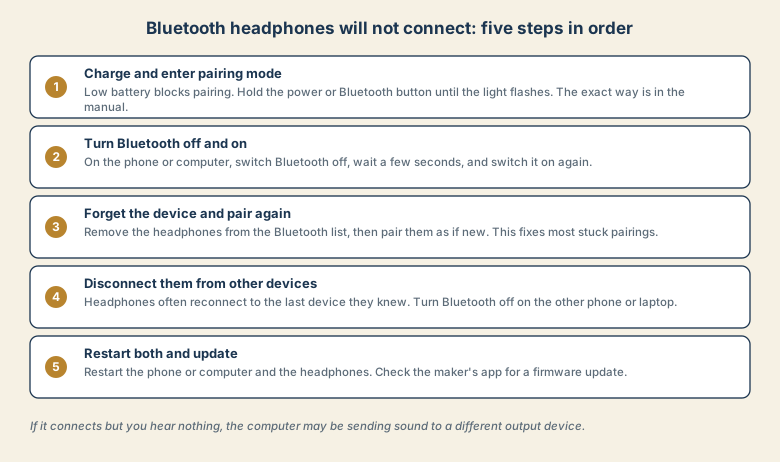
1. Charge them and enter pairing mode
A nearly flat battery can stop pairing or make the connection drop. Charge the headphones for a while first.
Then put them into pairing mode. Most models need you to hold the power or Bluetooth button until a light flashes, often in a different colour from normal. Being switched on is not the same as being ready to pair. The manual shows the exact method for your model.
2. Turn Bluetooth off and on
On the phone or computer, switch Bluetooth off, wait a few seconds, and switch it on again. This clears a stuck radio and refreshes the list of nearby devices.
3. Forget the device and pair again
This is the step that fixes the most problems. Old or damaged pairing records make the connection fail silently.
- iPhone: Settings, Bluetooth, tap the information icon next to the headphones, then Forget This Device.
- Android: Settings, Connected devices, tap the settings icon next to the headphones, then Forget or Unpair.
- Windows: Settings, Bluetooth and devices, open the headphones, then Remove device.
- Mac: System Settings, Bluetooth, use the information icon next to the headphones and forget the device.
Put the headphones in pairing mode again and pair them as if they were new.
4. Disconnect them from other devices
Headphones usually reconnect to the last device they knew. If your phone, tablet, or another laptop is nearby with Bluetooth on, it may claim the headphones before the device you want to use.
Turn Bluetooth off on the other devices, or disconnect the headphones there, then connect on the one you want.
5. Restart both and update
Restart the phone or computer and the headphones. Then check whether the maker has an app or a firmware update, since updates often fix connection bugs. Keep the operating system updated too.
If it connects but you hear nothing
A connected Bluetooth device does not guarantee that sound goes to it. The computer may still be playing through its own speakers or a monitor.
- Windows: Settings, System, Sound, and choose the headphones as the output device.
- Mac: System Settings, Sound, Output, and choose the headphones.
- In call apps, also check the speaker and microphone chosen inside the app. See no sound on Zoom or Teams.
If the sound stutters or drops
- Keep the phone and headphones close, without walls or your body between them.
- Move away from crowded wireless areas such as a router with many devices.
- Charge both devices. A low battery on either side makes the link unstable.
Why Bluetooth fails more often than it should
Bluetooth shares the crowded 2.4 GHz radio band with Wi-Fi, microwaves, and many other devices. Headphones also remember the devices they have paired with, and those saved pairing records can go stale or conflict. That is why the fix is so often "forget it and pair again". The product is usually fine. The saved agreement is the weak point.
Headphones or headset mode?
Many Bluetooth headphones switch to a lower-quality call mode when your computer uses the microphone. Music suddenly sounds thin, and some apps seem to change the sound. This is normal behaviour and not a fault.
- In call apps, choose the headphones for both speaker and microphone, or use a separate microphone for better quality.
- For music, make sure the output is set to the high-quality headphone option, and not a "hands-free" option.
- For important calls, a wired headset avoids the problem entirely.
When it is the headphones, not you
Test the headphones with a second phone or computer.
- Fails on every device: the headphones need a reset, a charge, cleaning of the charging contacts, or service. Check the manual for the reset method.
- Works elsewhere but not on one device: the problem is that device's Bluetooth, its saved pairing, or its operating system. Update it, and forget and re-pair.
Only one earbud works
- Put both earbuds in the case and charge them.
- Remove the headphones from the Bluetooth list and pair them again.
- Check the maker's app for a reset option.
- Clean the earbuds and the charging contacts gently, following the maker's advice.
- If one earbud is dead after all that, it may be a battery or hardware fault covered by warranty.
Common mistakes
- Pairing while another phone or laptop is nearby and active, which steals the connection.
- Pairing with the earbuds still in the case or not in pairing mode.
- Skipping operating system and firmware updates.
- Resetting the headphones before trying a simple re-pair.
- Blaming the headphones when the computer is sending sound to another output.
Keep it reliable
- Charge the headphones before they die, and keep the case charged too.
- Keep the system and firmware updated.
- Forget old devices from the headphones' list if the maker's app allows it.
- Remember which device you want them on, and turn Bluetooth off on the others.
Quick checklist
- Charged, and in pairing mode, not just switched on.
- Bluetooth off and on.
- Forget the device and pair it again.
- Turn Bluetooth off on other nearby devices.
- Restart, update, and check the sound output setting.
Save this cheat sheet
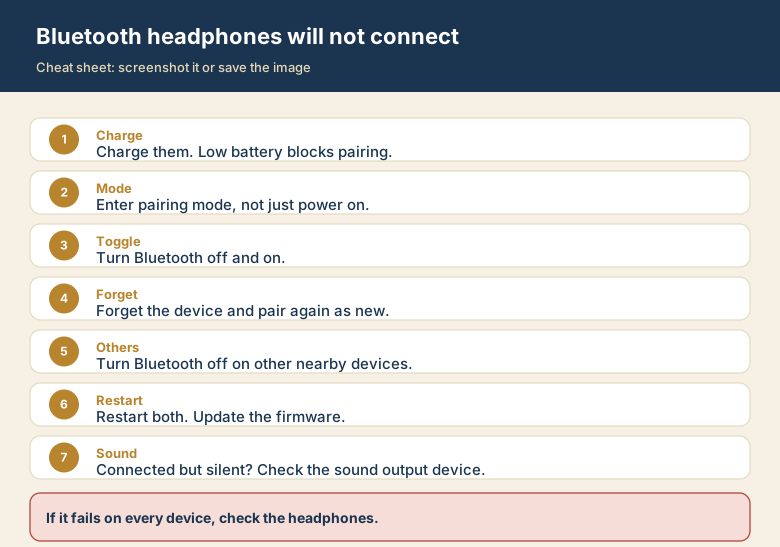
Screenshot this or save the image. It is the short version of the whole guide, and it is easier to find in a hurry than a web page.