You plug in a keyboard, a flash drive, or an external hard drive and nothing happens. Or a message says USB device not recognized. It is annoying, and for a drive with your files on it, it can be worrying. The fix is usually simple. The caution is to avoid anything that erases data.
First, split the problem
Try the device on another computer.
- It works there: the problem is your computer: the port, a driver, or power settings.
- It fails everywhere: the problem is the device, its cable, or its power.
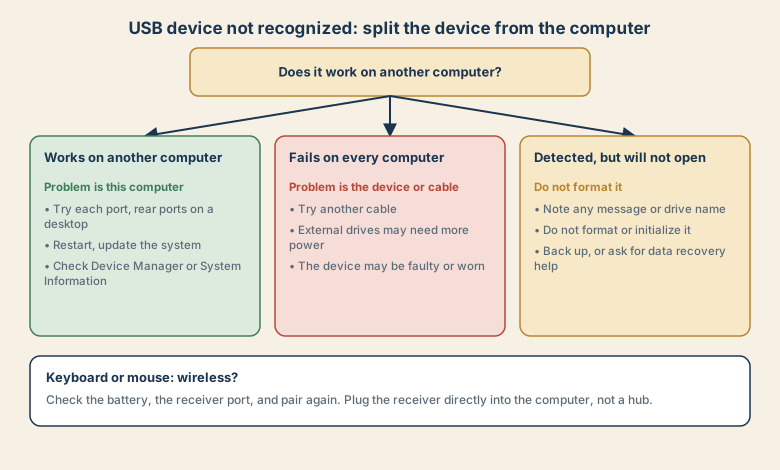
If it works on another computer
- Try every port. On a desktop, use a port on the back, which connects directly to the board.
- Remove hubs and extension cables, and plug the device in directly.
- Restart the computer. This clears many port and driver states.
- Install pending updates for the system.
- Check whether the computer sees it at all.
- Windows: open Device Manager and look under Universal Serial Bus controllers and Disk drives for the device, or an unknown device. A message such as "Device Descriptor Request Failed" points to a communication problem.
- Mac: open System Information, then USB, and see whether the device is listed.
- Check power settings. On Windows, USB selective suspend can turn off ports. Review it in advanced power settings if devices drop out after sleep.
If it fails on every computer
- Swap the cable. Cables wear out, and some are made for charging only and do not carry data.
- Check power. An external hard drive, especially an older or larger one, may need more power than a port or hub supplies. Use its own power adapter if it has one.
- Look for damage: bent connectors, a loose plug, or signs of a drop.
- Try a different device of the same kind, to confirm the port is fine.
- If it still fails, the device may be faulty or worn. Check its warranty.
If a drive is detected but will not open
This is the case where caution matters most.
- Do not format it or initialise it, even if the computer offers. Both can erase what is on it.
- Note any message, such as "You need to format the disk" or "The file system is RAW".
- Try another port and computer, in case it is a reading problem.
- Do not run "repair" tools blindly. Some operations can make recovery harder.
- If the data matters, stop and ask for data recovery help. Every extra write reduces the chance of getting files back.
On Windows, Disk Management shows whether the drive appears, whether it has a letter, and whether it is unallocated. A drive with no letter may only need one assigned, but a drive shown as unallocated or RAW may be damaged, and formatting it will erase what is left.
Keyboards and mice
- Wired: try another port and another cable, and test on another computer.
- Wireless with a receiver: plug the receiver directly into the computer, not a hub, and keep it close.
- Wireless without a receiver (Bluetooth): check the battery, then remove the device from the Bluetooth list and pair it again. See Bluetooth headphones will not connect for the same logic.
- Batteries and charge: a low battery can make a device unreliable.
- Interference: other wireless devices nearby can disturb a receiver.
Common mistakes
- Formatting a drive that was only slow to be recognised.
- Using a charge-only cable and expecting data.
- Using a hub for a power-hungry drive.
- Unplugging without ejecting, which can corrupt files.
- Assuming the device is dead before trying another port and computer.
- Forcing a connector into the wrong shape of port.
Keep your drives safe
- Eject before unplugging.
- Keep a second copy of anything important. A single external drive is not a backup plan. See sync is not a backup.
- Handle drives gently, especially spinning hard drives, which dislike drops.
- Label drives and note when you last checked them.
- Replace old drives before they fail, and copy their contents.
What to tell support
Describe the device, the computer and system, the exact message, what you tried (ports, cables, another computer), and whether the data matters. If you have a drive with important files, say so first, so they do not suggest formatting it.
A quick guide to USB ports and cables
Many problems come from mixing up what a port or a cable can do.
- USB-A is the larger rectangular plug. USB-C is the small, reversible one. The shape does not tell you the speed or what it can carry.
- Some cables only charge. They have no data wires, so a drive or keyboard will not be recognised. A cable that came with a lamp or a power bank is often one of these.
- Ports differ in speed and power. A port made for charging may give a drive less power than a port on the back of a desktop.
- Hubs share power. Plugging several devices into a hub can leave a hungry device short of power.
- Long or cheap cables can cause dropouts, especially with fast drives.
When you are unsure, use a short cable from the device's maker, plugged directly into the computer.
Drive letters and formats in plain words
A drive needs a file system the computer understands, and, on Windows, a drive letter. If a drive was made on a different system, such as a Mac, it may use a format Windows cannot read, and the reverse can also be true. This is different from a faulty drive. Before you format anything, check whether another computer can read it, and copy the data off if you can.
Quick checklist
- Test on another computer to split device from computer.
- Try another port, a direct connection, and another cable.
- Check power for external drives.
- Detected but will not open: do not format or initialise it.
- Eject drives before unplugging, and keep a second copy.
Save this cheat sheet
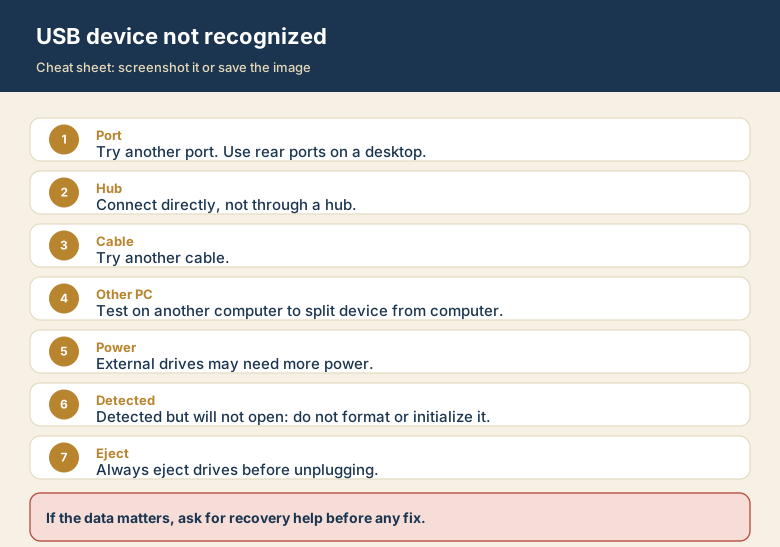
Screenshot this or save the image. It is the short version of the guide, and it is easier to find in a hurry than a web page.