You get a message saying your Google storage is almost full. Soon after, new emails stop arriving and your photos stop backing up. The surprise for many people is that Gmail, Google Drive, and Google Photos share one storage pool. A pile of old attachments can block your phone backup, and a big video library can stop your email.
Step 1: See where the space went
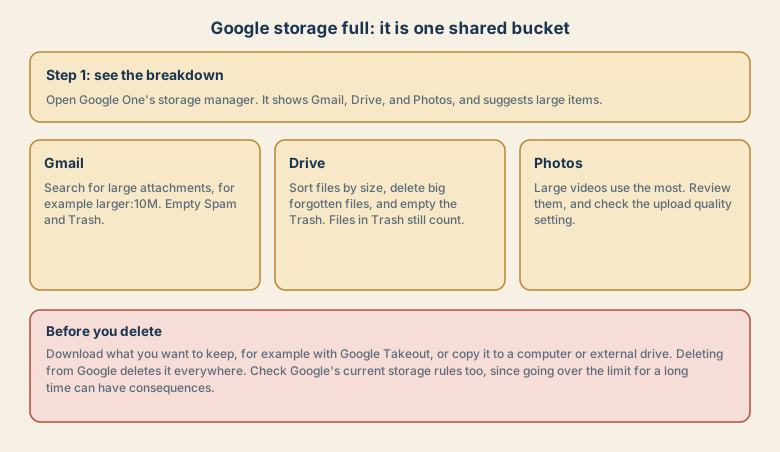
Open Google's storage manager (Google One's storage page) and look at the breakdown. It shows how much Gmail, Drive, and Photos use, and it can suggest large files, spam, and trash to clear. A quick look usually shows one clear culprit.
Gmail: the hidden attachments
Email feels light, but attachments add up over years.
- Search for large attachments. In the Gmail search box, type
has:attachment larger:10Mand review the results. - Delete the big ones you no longer need. Save important attachments to your computer first.
- Empty Spam and Trash. Items there still count, though they are removed automatically after a period.
- Unsubscribe from newsletters you never read, so they stop piling up.
- Check old promotions and updates with search, such as
older_than:2y, then review before deleting.
Google Drive: the forgotten files
- Sort by size. In Drive, check the storage page and sort files from largest to smallest.
- Delete big files you no longer need, such as old videos, installers, and backups.
- Empty the Trash. Items there keep counting until they are deleted or expire.
- Check files you own that others use. Removing a file you own removes it for them too.
- Remember that phone backups stored in your Google account can take a lot of space.
Google Photos: the big videos
Photos and videos are the biggest users for many people.
- Review the largest videos first. Long videos use far more space than photos.
- Check the upload quality setting, which controls how much space new photos use.
- Delete blurry duplicates, screenshots, and memes you do not need.
- Download the originals of photos you care about before deleting anything from the cloud.
Remember that if photo sync is on, deleting a photo on your phone can delete it from the cloud and the other devices. See sync is not a backup.
Back up before you delete
Deleting from Google is deleting everywhere, including your phone and computer when sync is on. Before a big clean-up:
- Download what matters from Photos and Drive, or use Google Takeout to export your data.
- Copy it to a computer or an external drive.
- Open a few files to check that they work.
- Then delete from Google.
What happens if you stay full
- New email may bounce or stop arriving.
- Uploads to Drive and backups from your phone may stop.
- Google's rules also allow content to be removed from accounts that stay over the limit for a long time. Check the current policy, and do not wait.
Common mistakes
- Deleting only from the inbox and forgetting Spam, Trash, and attachments.
- Deleting photos to free space without a separate copy.
- Buying more storage and never cleaning up, so it fills again.
- Using the same account for everything (work, photos, backups), so one problem hits all of it.
- Ignoring the warnings until email stops.
A ten-minute quarterly routine
- Open the storage manager and note the numbers.
- Search for large attachments and delete what you no longer need.
- Empty Spam and Trash.
- Review the biggest Drive files.
- Copy your photos to a computer or external drive, and check that the copy works.
- Unsubscribe from one or two newsletters you do not read.
If you use the account for work or school
Your administrator may set the storage limits. Check with them before you delete anything, since the data may need to be kept for rules or for colleagues.
Keep it from filling up again
- Choose what your phone backs up. Back up the camera, and consider leaving out screenshots and chat media folders.
- Create a Gmail filter for senders that send big files you do not need, and have it skip the inbox or archive on arrival.
- Use separate accounts for different purposes, such as a work account and a personal one, so one pool does not hold everything.
- Move old files to a computer or an external drive once a year, and keep a copy in a second place.
- Check the storage manager after big events, such as holidays or a trip, when photo and video use jumps.
What to expect from a paid plan
A paid plan gives you more room, and it can be a sensible choice if you rely on the account. Compare the sizes and prices in your region, and remember that more space does not mean safer data. A paid account can still be locked, hacked, or deleted by mistake. See account hacked for what to do, and keep your own copy of important files.
Quick checklist
- Open the storage manager and see the breakdown.
- Clear large email attachments, Spam, and Trash.
- Sort Drive by size, and delete or move big files.
- Review long videos in Photos.
- Download what you want to keep before you delete, and check the copy.
Save this cheat sheet
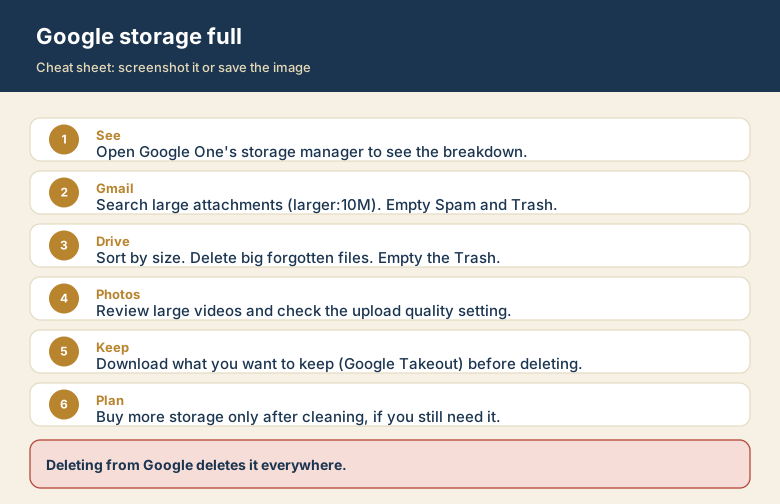
Screenshot this or save the image. It is the short version of the guide, and it is easier to find in a hurry than a web page.