You sign in and notice something is wrong. There is a login alert from another country. Friends say you messaged them something odd. Your password stopped working. These can all mean someone else is using your account. The good news is that you can usually recover it, as long as you act in the right order.
Signs that an account may be hacked
- Login or security alerts for places or devices you do not recognise.
- Messages or posts you did not send, or friends reporting strange links from you.
- Your password no longer works, or the recovery email or phone changed.
- Settings changed: a forwarding rule, new filters, a different name, or new connected apps.
- Unexpected password reset emails, which can mean someone is trying to take over.
- Purchases or orders you did not make.
What to do, in order
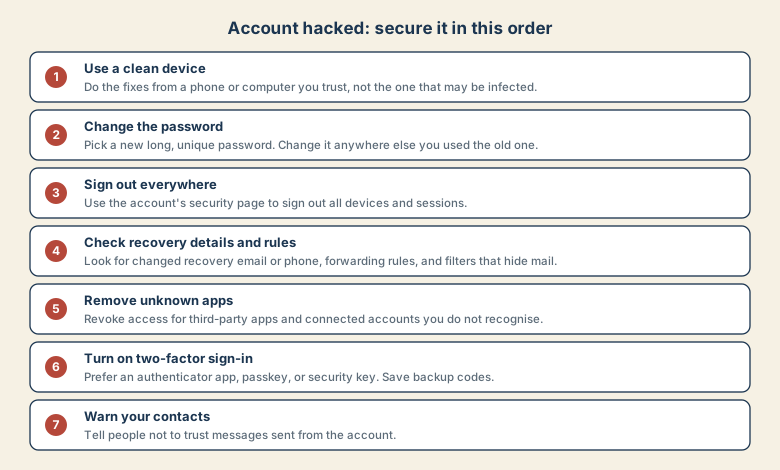
1. Use a clean device
Do the fixes from a phone or computer you trust, not the one where you may have entered your password into a fake page. If you suspect the device itself, scan it, update it, or use another one.
2. Change the password
Choose a new, long, unique password, ideally generated by a password manager. Then change the same password everywhere else you used it. Attackers try stolen passwords on other sites.
3. Sign out everywhere
Use the account's security page to sign out of all devices and sessions, and sign in again yourself. This removes anyone who is still connected.
4. Check the recovery details and rules
Attackers often leave quiet changes so they can come back.
- Recovery email and phone: make sure they are yours.
- Forwarding rules and filters, in email: look for rules that forward messages elsewhere, or hide security alerts and delete them.
- Signature, reply-to, and auto-reply settings.
- Linked accounts and sign-in options.
5. Remove unknown apps
Review third-party apps and connected services with access to the account. Remove anything you do not recognise or no longer use.
6. Turn on two-factor sign-in
Add a second step. An authenticator app, a passkey, or a security key is safer than text messages. Save the backup codes in a safe place. See how to avoid a lockout when changing phones.
7. Warn your contacts
Tell friends, family, or colleagues that messages from the account during the compromise may be unsafe. Use another channel, such as a text or a call.
If you are locked out
Use the service's official account recovery process:
- Start from the sign-in page, and choose the option for forgotten password or hacked account.
- Use the device and place you normally sign in from.
- Answer questions as accurately as you can, such as old passwords, the month you created the account, or recent sign-in places.
- Be patient. Recovery can take days.
- Do not pay anyone who promises to recover the account. These are common follow-up scams.
Which accounts matter most
Fix them in this order, because each one unlocks the next:
- Your main email. Password resets for everything else go here.
- Apple or Google account.
- Banking and payment accounts.
- Social media and messaging.
- Work accounts, and tell your IT team straight away.
When money or identity is involved
- Call your bank or card issuer if payment details were exposed, and ask them to check for unfamiliar transactions.
- Consider a credit freeze or fraud alert where your country offers them, if identity details may have been exposed.
- Report the fraud to your national fraud or consumer reporting service.
- Keep records: screenshots, dates, and messages, in case you need them.
Common mistakes
- Changing the password but not checking forwarding rules and recovery details.
- Using the same new password on another site.
- Skipping the sign-out-everywhere step.
- Doing it from the infected device.
- Believing someone who offers paid recovery.
- Staying quiet, so a friend falls for the scam message.
Prevent a repeat
- Use a unique password for each account in a password manager.
- Turn on two-factor sign-in on your email, Apple or Google account, and bank.
- Keep devices and apps updated.
- Be careful with links and sign-in pages. If you did click something, read what to do in the first hour.
- Check your account's security page a few times a year.
Where to find the security settings
Every major service has a page for sign-in activity and security. Menu names change, so look for the closest match.
| Service | Look for |
|---|---|
| Security Checkup, and the list of devices and third-party access | |
| Microsoft | Account security, recent activity, and sign-in options |
| Apple | Sign-In and Security in your Apple Account settings |
| Facebook and Instagram | Security and login, and the list of where you are logged in |
| Email at work | Ask your IT team, who can see sign-in logs |
On each, look for active sessions, recent activity, recovery options, and connected apps. Those four places show nearly everything an attacker can leave behind.
What a recovered account should look like
After recovery you should be able to say yes to all of these: the password is new and unique, only your devices are signed in, the recovery email and phone are yours, there are no strange forwarding rules, unfamiliar apps are removed, and two-factor sign-in is on. If one answer is no, keep going.
Quick checklist
- Use a clean device.
- Change the password, here and wherever it was reused.
- Sign out all sessions.
- Check recovery details, forwarding rules, and filters.
- Remove unknown apps, turn on two-factor sign-in, warn your contacts.
Save this cheat sheet
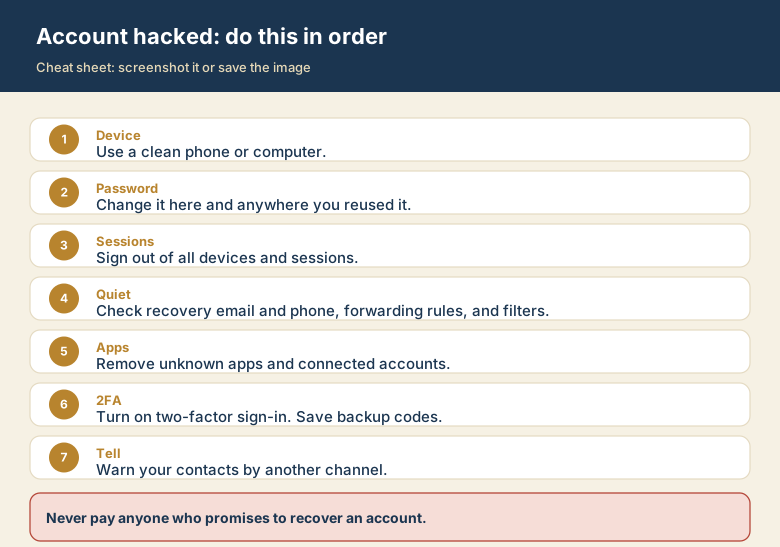
Screenshot this or save the image. It is the short version of the guide, and it is easier to find in a hurry than a web page.