You are about to sign in, pay, or reset a password, and the text with the code does not come. You tap resend again and again. Nothing. The cause is usually simple, and pressing resend repeatedly often makes it worse.
Why codes go missing
A code takes a journey: the service asks a message provider to send it, the message crosses to your carrier, and your phone receives and shows it. A fault at any step looks the same to you. The common ones are:
- The number on the account is wrong or old.
- The phone has no signal, is in airplane mode, or is roaming.
- A filter on the phone or the carrier hides unknown senders or short codes.
- Too many requests have been made, so earlier codes are cancelled or the service pauses sending.
- The SIM or eSIM is not active, for example after a change.
What to do, in order
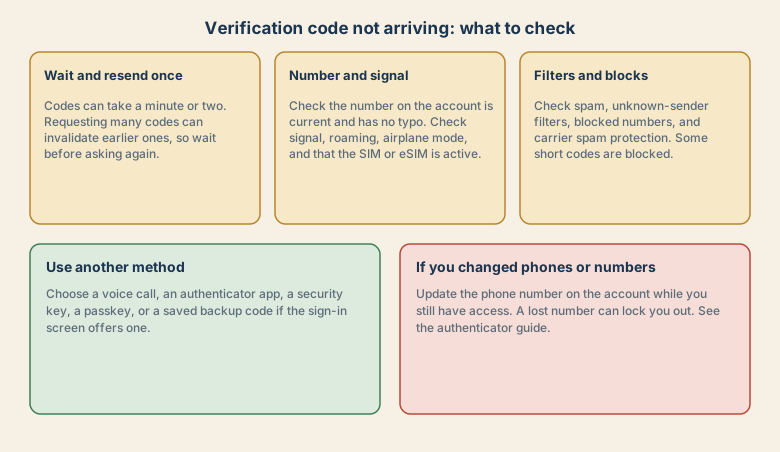
1. Wait, and resend once
Give it a minute or two. If it has not come, request a new code once, and wait. Use the newest code that arrives, because older ones may already be cancelled.
2. Check the number
- Is the number shown on the sign-in page the right one, with no typo or missing digit?
- Does the account have an old number on file? If you changed numbers, the code goes to the old one.
- For international numbers, check the country code.
3. Check the phone
- Signal: check bars, and try moving or switching Wi-Fi calling on.
- Airplane mode and Do Not Disturb: airplane mode blocks messages, and silent modes hide the sound but not the message.
- SIM or eSIM: check that the line is active and can receive texts. A new SIM or eSIM may need activating.
- Storage: a nearly full phone can fail to receive messages in some cases. Free some space if needed.
- Restart the phone. This clears many odd states.
4. Check filters and blocks
- Unknown senders: iPhone can filter unknown senders into a separate list, and Android has spam protection. Check those lists.
- Blocked numbers: make sure the service's number is not blocked.
- Carrier spam protection: some carriers filter short codes. Check your account settings or ask your carrier.
- Message apps: if you use more than one messaging app, check the other one.
5. Use another method
If the sign-in screen offers one, switch:
- A voice call with the code read out.
- An authenticator app or a passkey.
- A security key.
- A backup code you saved earlier.
- Email as a recovery option.
These methods avoid the delivery chain entirely.
If you changed your phone or number
This is the most common reason for a permanent problem. Your old number still receives codes, and you may not have it.
- Update the number on the account while you still have access.
- Add a second method before you switch phones. See how to avoid a lockout when you change phones.
- If you are locked out, use the service's official account recovery form and do not pay anyone who promises to help.
Common mistakes
- Pressing resend again and again.
- Using an old code that arrived late.
- Forgetting that the number on the account is old.
- Giving the code to a caller or a message sender. Never share a code with anyone who contacts you.
- Using a virtual or temporary number that the service does not accept.
- Waiting until the last minute to update recovery details.
Reduce your reliance on text codes
Text codes are better than nothing, but they have weaknesses: they can be delayed, a phone number can be hijacked, and a person can be tricked into sharing one.
- Where you can, move key accounts to an authenticator app, passkey, or security key.
- Keep backup codes in a safe place.
- Keep your recovery email and phone up to date.
- Use a password manager so a stolen password is less useful.
If you suspect someone else got your code
If you receive a code you did not request, someone may be trying to sign in to your account. Do not share it. Change the password for that account, and check its security page. If it keeps happening, see account hacked.
How a code gets to your phone, and where delays come from
The service asks a message provider to send the text. The provider passes it to your carrier. Your carrier delivers it to your phone, which shows it in the messages app. Delays can happen at the provider, at the carrier (especially when it applies spam rules), or on the phone. Services also limit how often they send, to prevent abuse, which is why many requests in a row slow things down.
The SIM swap risk
Because text codes depend on your phone number, an attacker who convinces your carrier to move your number to their SIM can receive your codes. This is called a SIM swap. Reduce the risk by:
- Adding a PIN or passcode to your carrier account, if it offers one.
- Using an authenticator app, passkey, or security key for important accounts.
- Treating an unexpected loss of signal on your phone as a warning, and contacting your carrier.
- Not sharing personal details that a carrier might use to verify you.
Quick checklist
- Wait a minute or two, and request once.
- Check the number on the account, signal, airplane mode, and the SIM.
- Check spam, unknown-sender filters, blocked numbers, and carrier protection.
- Use a voice call, authenticator app, passkey, or backup code if offered.
- Update your number before changing phones.
Save this cheat sheet
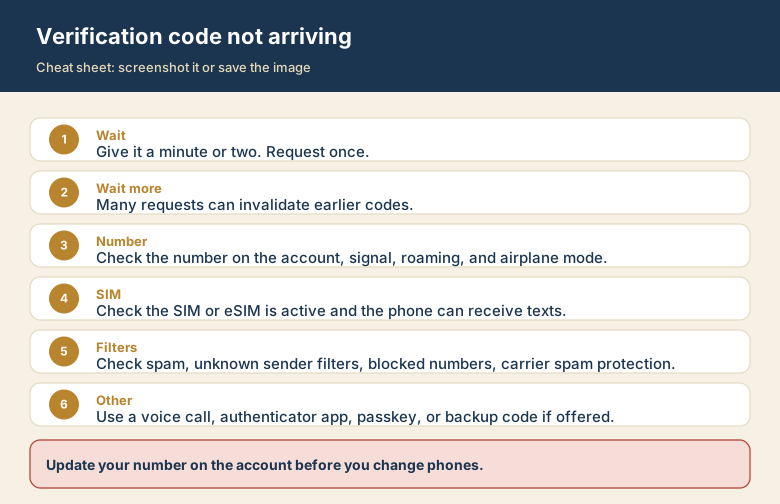
Screenshot this or save the image. It is the short version of the guide, and it is easier to find in a hurry than a web page.