The screen will not respond. Or the phone shows the logo, restarts, shows the logo again, and never reaches the home screen. It feels like the end, but most freezes and restart loops have a short list of causes, and the first fixes are safe. The key is to go in order and to protect your data before anything drastic.
What usually causes it
- A drained or ageing battery, so the phone shuts off or cannot finish starting.
- No free storage, so the system cannot work properly.
- A bad app, often one installed or updated just before the problem.
- An interrupted or failed system update.
- Heat, which makes phones slow down or restart.
- A software glitch that a restart can clear.
- A hardware fault, in a smaller number of cases.
The ladder
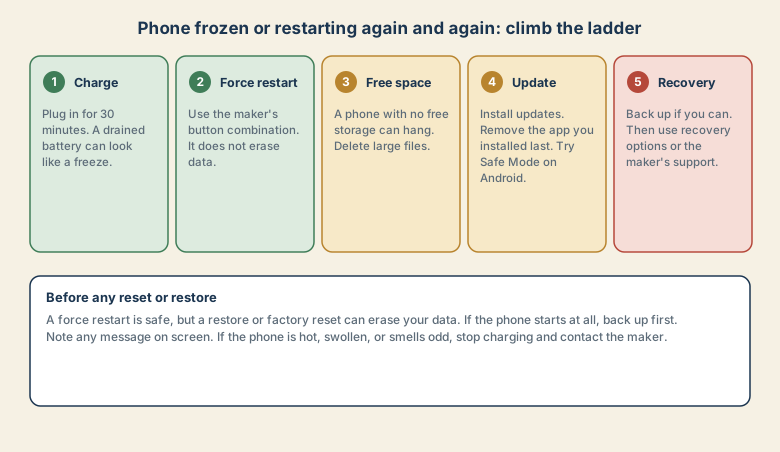
1. Charge it for about 30 minutes
A phone with a very low battery can look frozen, and it may not start properly on a trickle. Plug it into a known good charger and cable, and leave it for about 30 minutes before you judge. If it will not charge at all, see phone will not charge.
2. Force restart
A force restart is safe. It does not erase your data.
- iPhone 8 and later: quickly press and release volume up, then volume down, then press and hold the side button until the Apple logo appears.
- Android: hold the power button for about 10 to 30 seconds, or use power plus volume down, depending on the maker. Check the manual for your model.
3. Free some storage
If the phone starts but hangs, check the free space. A phone with almost no free storage can freeze, fail to update, and restart. Delete large videos, unused apps, and downloads. Back up photos before you delete them. See what to delete first when storage is full.
4. Update, and remove the last app
- Install pending system and app updates, since many freezes are fixed in updates.
- Remove the app you installed or updated just before the problem began.
- On Android, try Safe Mode to see whether a downloaded app is the cause. If the phone works in Safe Mode, remove recent apps one at a time.
- Turn off features you recently changed, such as a new launcher or battery tool.
5. Recovery and support
If the phone still will not start properly, use the recovery options.
- iPhone: connect to a computer and use the recovery options. When asked, choose Update first, which tries to reinstall the system without erasing your data. Choose Restore only as a last resort, because it erases the phone.
- Android: the recovery menu on many phones offers options such as wiping data. Do not wipe unless you have a backup and have no other choice.
- Contact the maker or the shop where you bought it, especially if the phone is under warranty.
Protect your data first
Before any restore or reset:
- Back up if the phone starts at all, even briefly. Photos, contacts, and messages matter most.
- Check your cloud backup and when it last ran. Remember that sync is not a backup, so keep a separate copy of photos you care about.
- Write down the message on screen, if any.
- Do not rush to reset. Resetting is the last step, not the first.
Warning signs: stop and get help
- The phone is hot, swollen, or smells odd.
- The screen is cracked or has taken water.
- It shuts off suddenly at a high charge percentage.
- It gets very hot while charging.
Stop charging and using it, and contact the maker or a repairer. Do not keep charging a swollen phone.
Common mistakes
- Resetting the phone straight away and losing data.
- Using a faulty charger or cable and blaming the phone.
- Installing many apps from unknown sources.
- Ignoring a full storage warning until the phone hangs.
- Skipping updates for months.
- Using unofficial repair tools that ask for your password or promise a quick fix.
Keep it healthy
- Keep several gigabytes of free storage.
- Install updates when you are not in a hurry, with a good charge.
- Install apps only from trusted stores.
- Restart the phone now and then.
- Keep a backup that you have tested.
- Avoid heat, such as a hot car or direct sun.
What to tell the maker or the shop
Say when it started, what you did just before (an update, a new app, a drop, water), what you tried, and what you see on the screen. Mention whether the data is backed up. It saves time and helps avoid an unnecessary reset.
Quick checklist
- Charge for about 30 minutes with a good charger and cable.
- Force restart with the maker's button combination.
- Free storage, install updates, and remove the last app.
- Back up before any restore or reset.
- Stop and get help if the phone is hot, swollen, or smells odd.
Save this cheat sheet
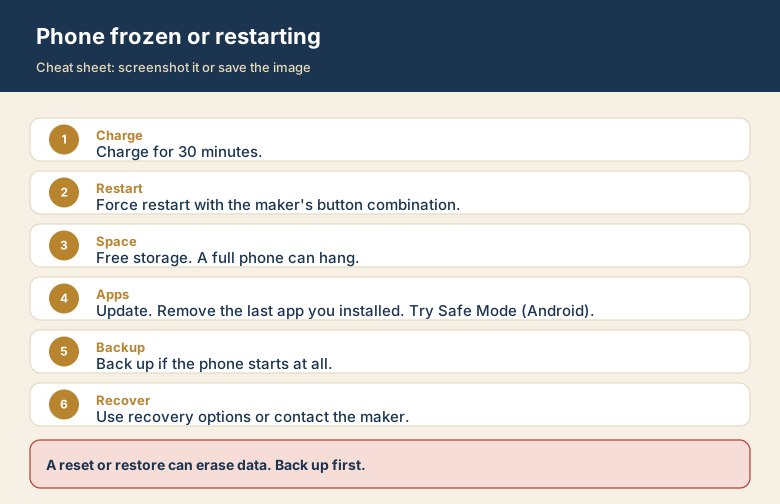
Screenshot this or save the image. It is the short version of the guide, and it is easier to find in a hurry than a web page.